
sshAutoLogin
sshAutoLogin
It can make your ssh login simply as well as efficiently on Mac or Linux
view on > GitHub <SSH Auto Login
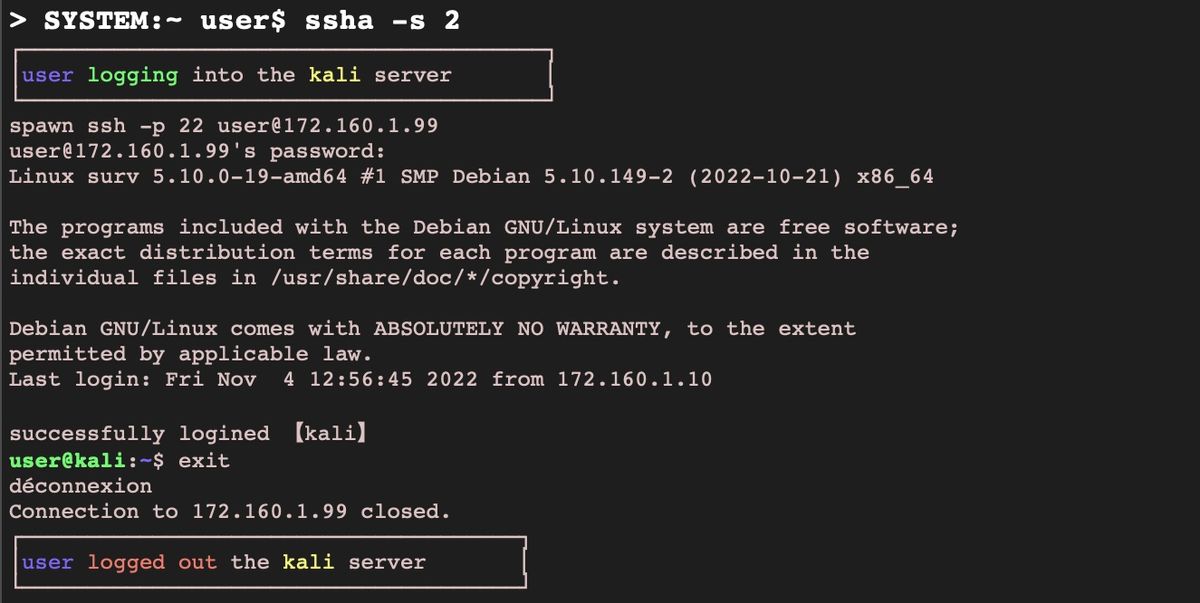
The 'ssha' tool is a handy tool to quickly connect to a remote server via SSH without having to enter your password each time. It stores your server credentials in a secure configuration file on your local computer and uses them to automatically connect to the remote server.
Features
- Create a new server
- Delete a server
- See server list
- Connect to a server
Tech Stack
- Bash
- Support Mac and Linux
How to use
- Install the binary
/bin/bash -c "$(curl -sSL https://raw.githubusercontent.com/o-GuGus/sshAutoLogin/master/install.sh)"
- Create a server
ssha -c
- See your server list
ssha -l
- Connect to your selected server
ssha -s 1
Contributing
Pull requests are welcome. For major changes, please open an issue first to discuss what you would like to change.
License
This project is open source and available under the MIT License.